Herding models.
Shipping code.
Cleetus IDE puts a Code - OSS editor, Claude and Codex agent teams, and a source-linked design studio in one workspace. Plan it, build it, review it and ship it without leaving the editor.

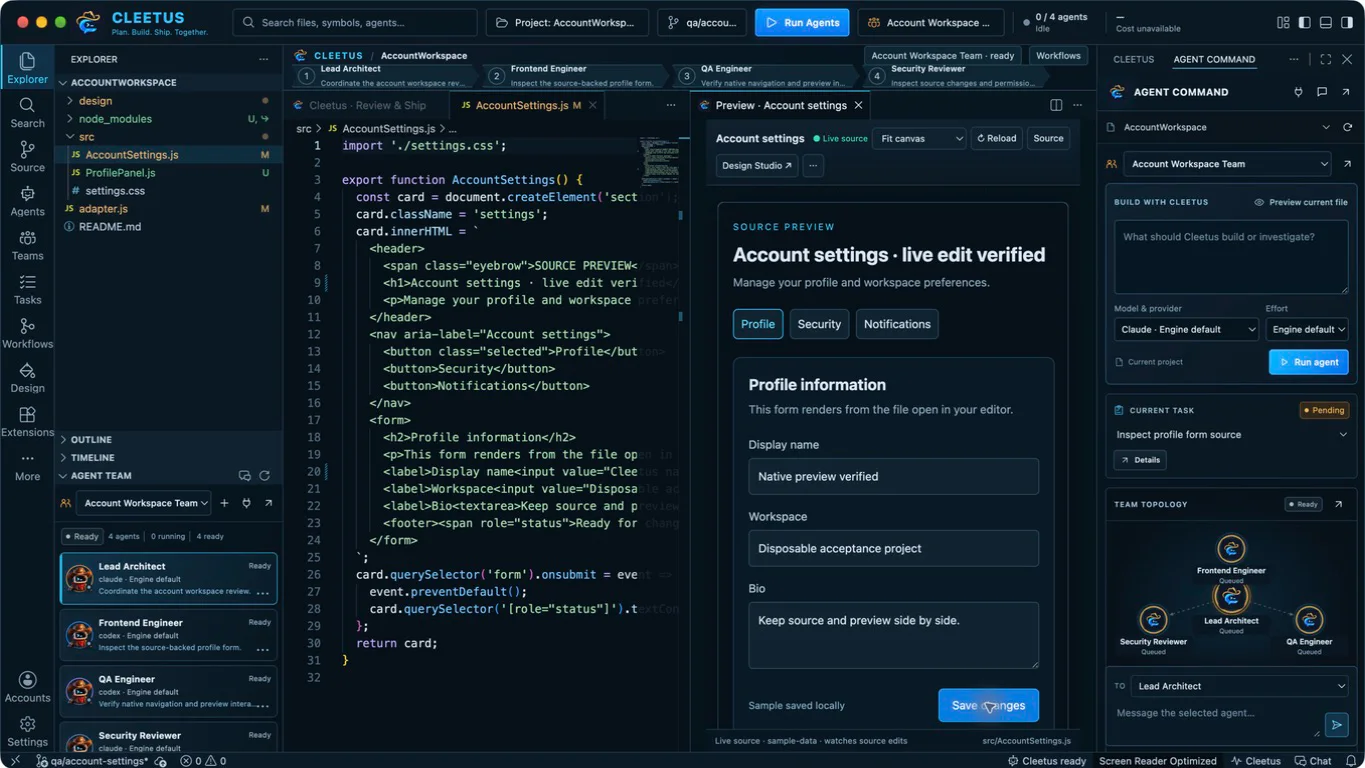
Source, live preview and your agent team, side by side. Save the file and the preview rebuilds from the real component.
Build with a crew. Design with a studio.
Agent Command, Teams, Tasks, Workflows, Review and Design sit on the IDE's action rail, next to the editor, terminal, source control and debugger you already know.
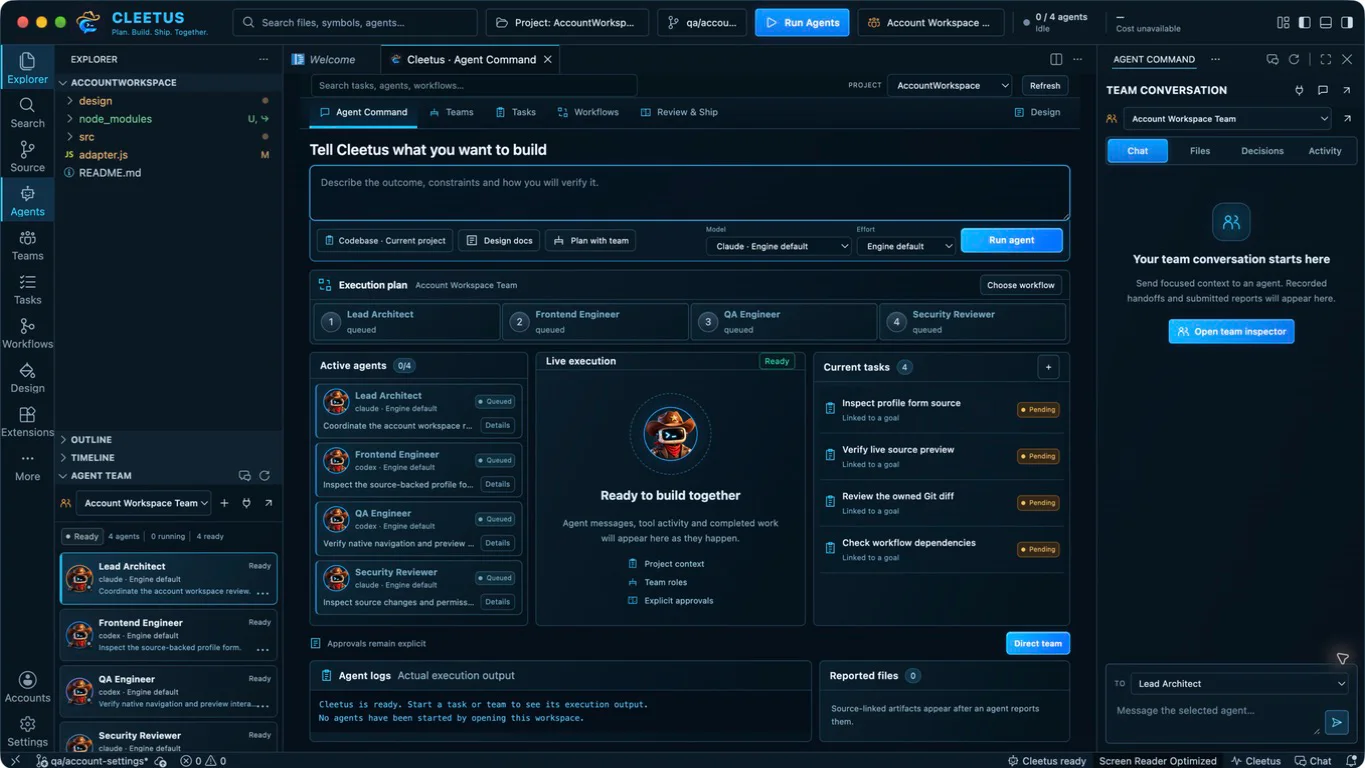
Tell Cleetus what you want to build
Agent Command brings the goal composer, execution plan, active agents, live execution, tasks and reported files into one view. Pick Claude or Codex, a model and an effort, then describe the outcome and how you will verify it.
- Every run starts with an approval you can read
- Cards reflect saved state, never guesses about cost or progress
- Continue any saved conversation exactly where it left off
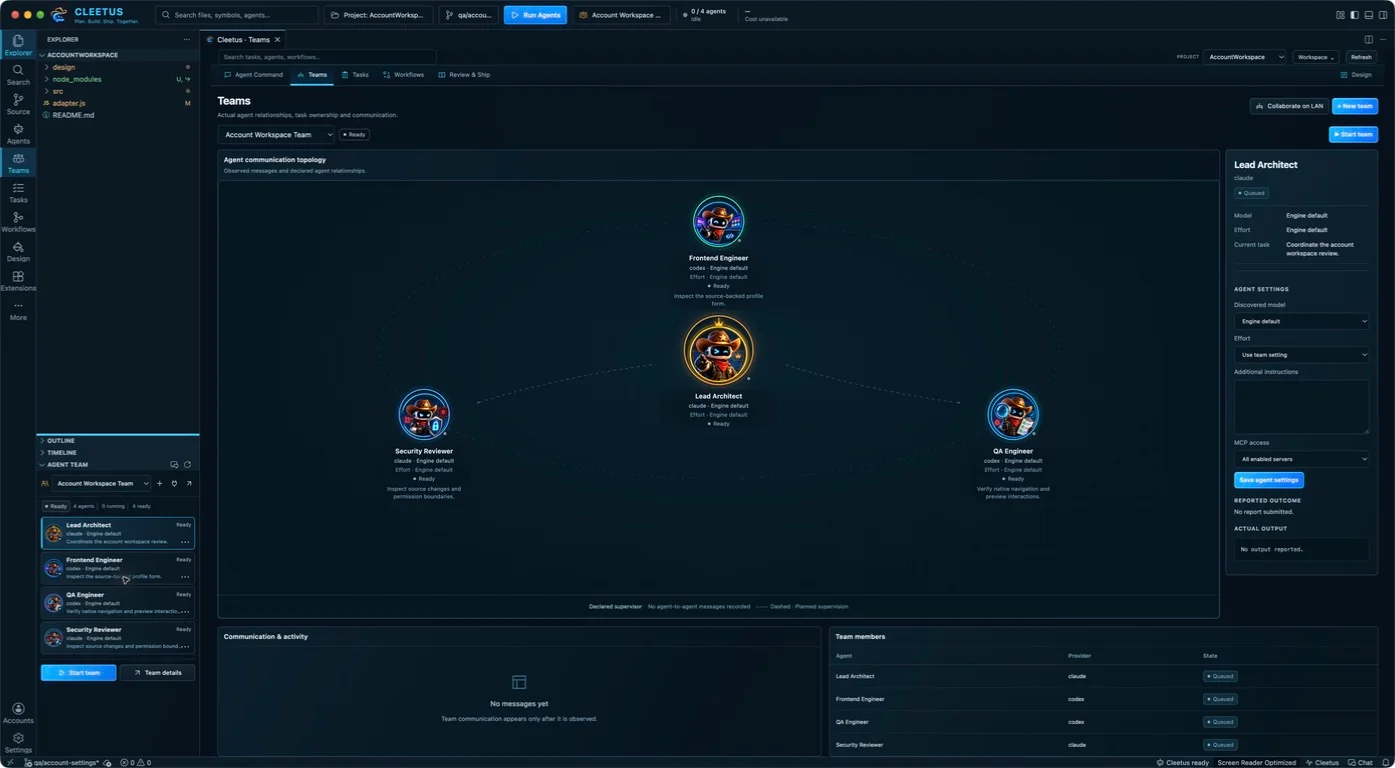
Give a crew a bounded goal
Pipelines for ordered handoffs, parallel members for independent work, or a Claude supervisor directing the team. Each member has its own engine, model, effort, system prompt and MCP servers, and its own Cleetus portrait.
- Prebuilt teams for delivery, design, review, debugging and security
- Creating a team never starts it; you approve the launch
- Opt-in encrypted LAN collaboration with another Cleetus team
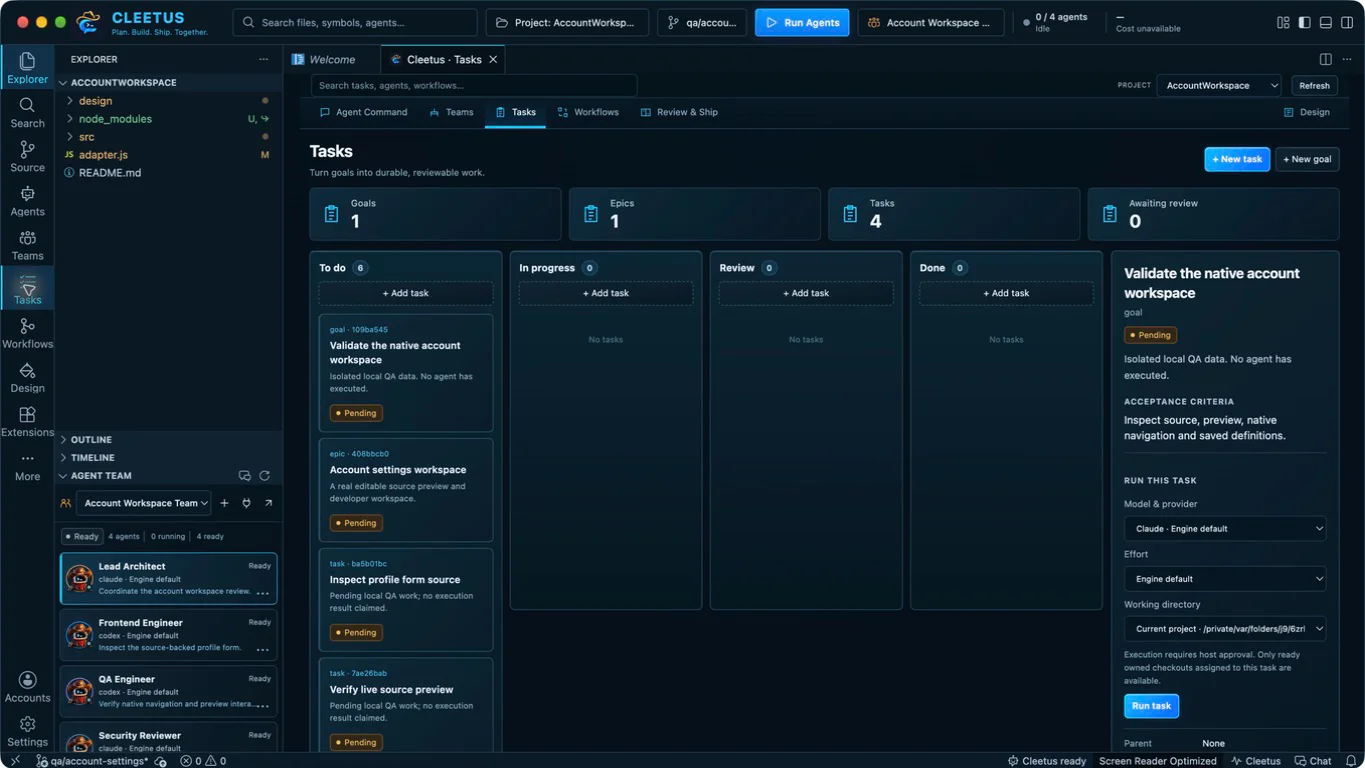
Keep every task reviewable
Record goals and tasks with acceptance criteria, then run a pending task on the engine, effort and checkout you choose. Reports land in review; completion is your call, not an automatic pass.
- Fenced ownership so expired claims can't report work
- Dependencies finish and get approved before dependents start
- Run tasks in Cleetus-owned worktrees, isolated from your checkout
Workflows you can see
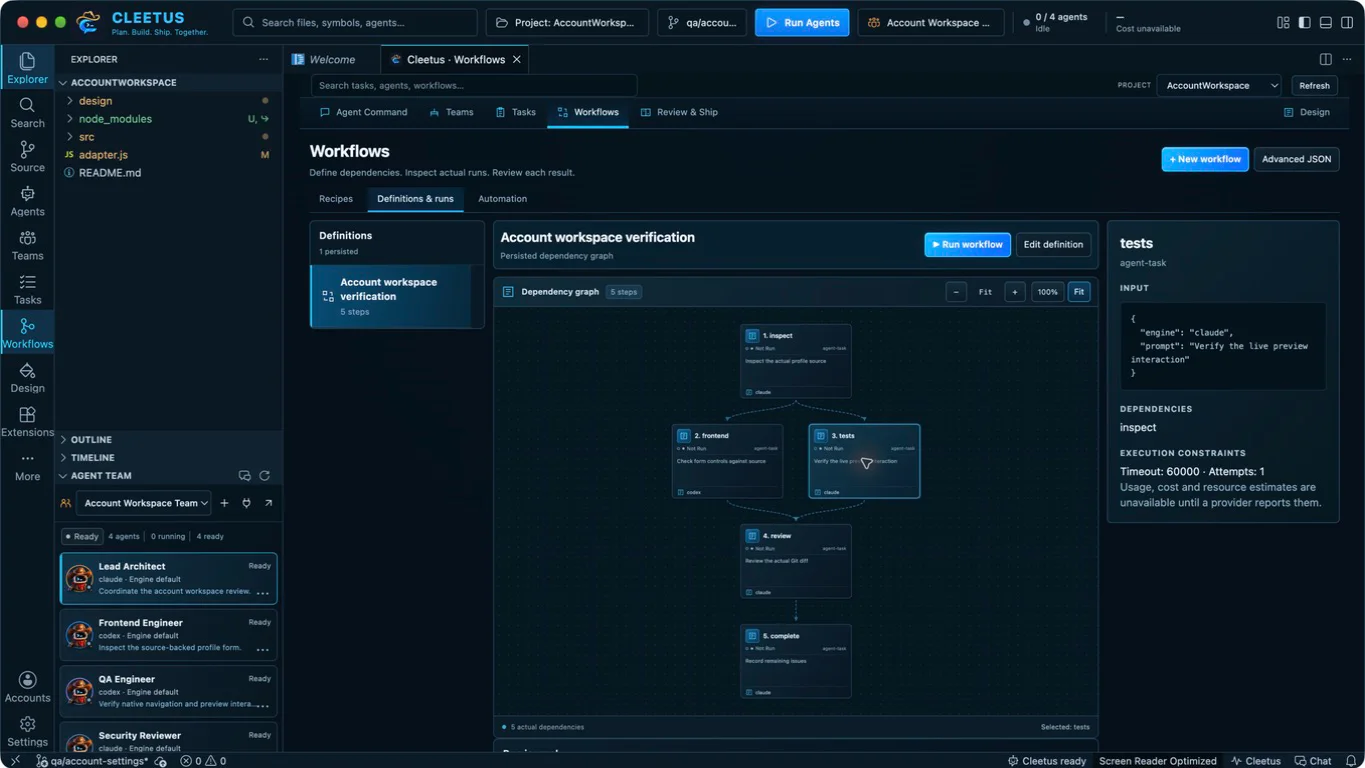
Turn a recipe into a saved DAG for feature work, investigation, review, tests or release prep. The canvas shows the real definition and each run's actual step states, with optional approved automation.
- Independent steps run in parallel; dependents wait
- Edits preserve earlier runs and their journals
- Automation starts disabled until you approve it
Review the actual changes
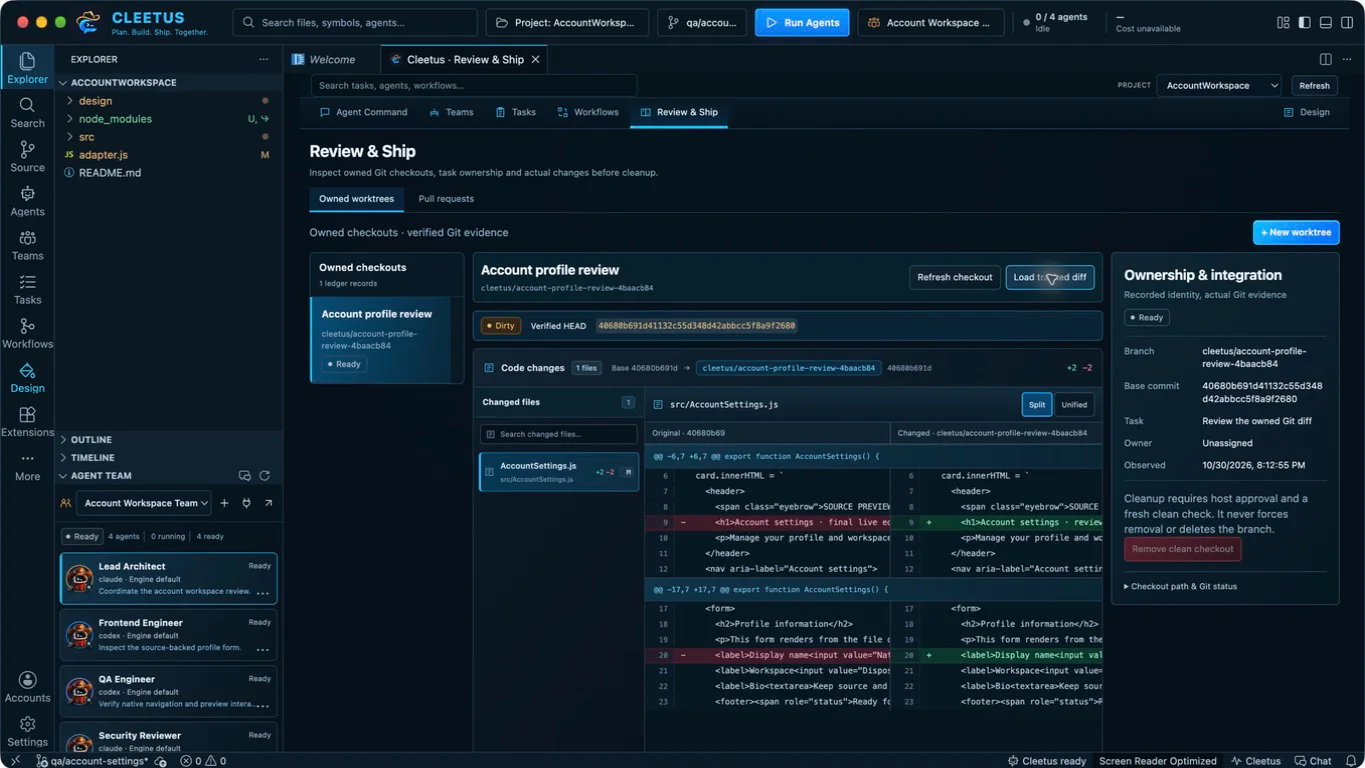
Load the tracked diff for an owned worktree in split or unified view, alongside its base, branch and task. Pull requests show checks, reviews and merge evidence for the current head.
- Missing, skipped and stale checks stay distinct from a pass
- Cleanup removes only verified clean Cleetus-owned checkouts
- Nothing merges without you
Same agents. More pixels.
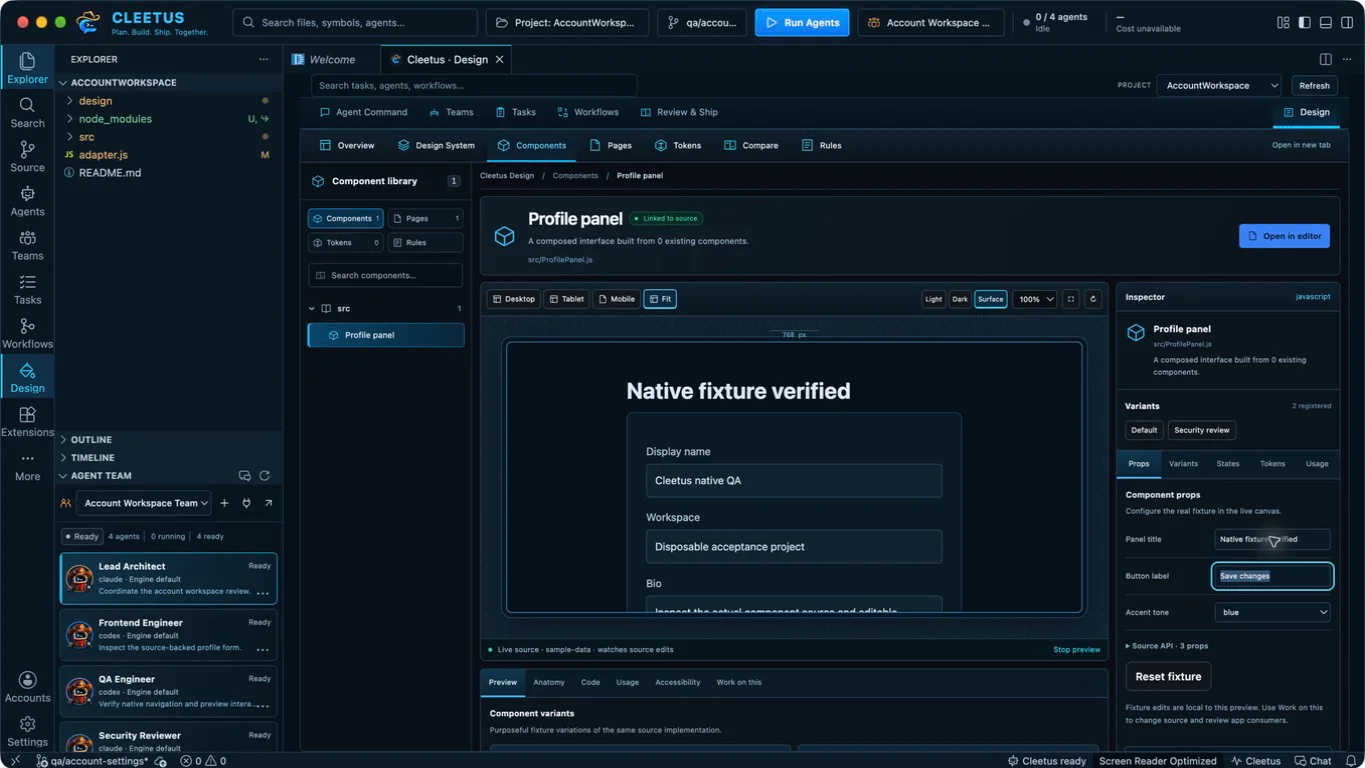
A component library, interactive source canvas, linked code and fixtures, and component properties, wired to the agents that build your app. Refine one real component and review every page that uses it before you adopt the change.

Start from the code you ship
A specialist team pulls tokens, assets, components, pages and rules out of your existing source, then audits what it built.
A studio for real components
Exercise registered components with device widths, fixtures, variants and states, then hand focused, source-linked work to an agent.
Every consumer, before adoption
Web previews render in the IDE; iOS and watchOS run in Simulator with your own Xcode toolchain.
The IDE is in preview.
Cleetus IDE Preview
Built from official Code - OSS source with its own settings, extensions and profiles, so it lives happily next to VS Code. Signed installers are on the way, and members get them first.
Get early accessAlready on VS Code? Available
The same Cleetus agents, teams and Design are available today as an extension for ordinary VS Code while the IDE finishes its preview.
Get the extension
Ride with the crew.
- Member features in the Cleetus IDE as they ship
- First access to signed IDE builds
- Directly supports Cleetus development
One Cleetus account for the website and the IDE.
Good to know.
Do I need a Claude or Codex subscription?
Yes. Cleetus runs the engines with your own account, and each engine's features and usage follow its provider's terms.
Is the IDE preview free?
Yes. Covered preview builds can be used for personal and commercial work without a license fee, and that grant does not change retroactively. Membership is for member features and future editions.
How does the IDE know I'm a member?
You sign in to the IDE with the same Cleetus account you use here, and the IDE checks your membership with the Cleetus service. Your password never leaves the Cleetus sign-in page.
Does it replace VS Code?
It can sit right beside it. The IDE keeps its own application identity, settings and extensions, and installs compatible extensions from Open VSX or a reviewed VSIX.
Can I cancel?
Any time, from the billing portal on your account page. Your membership stays active until the end of the paid period.